

Your own AI provider
GEO audits rely on a language model. By default the platform provides the model and charges the effort to your tokens. If you have your own access to a language model, you can use it instead: the model costs then run through your own contract with the provider, and the platform only charges a small share.
Prerequisite
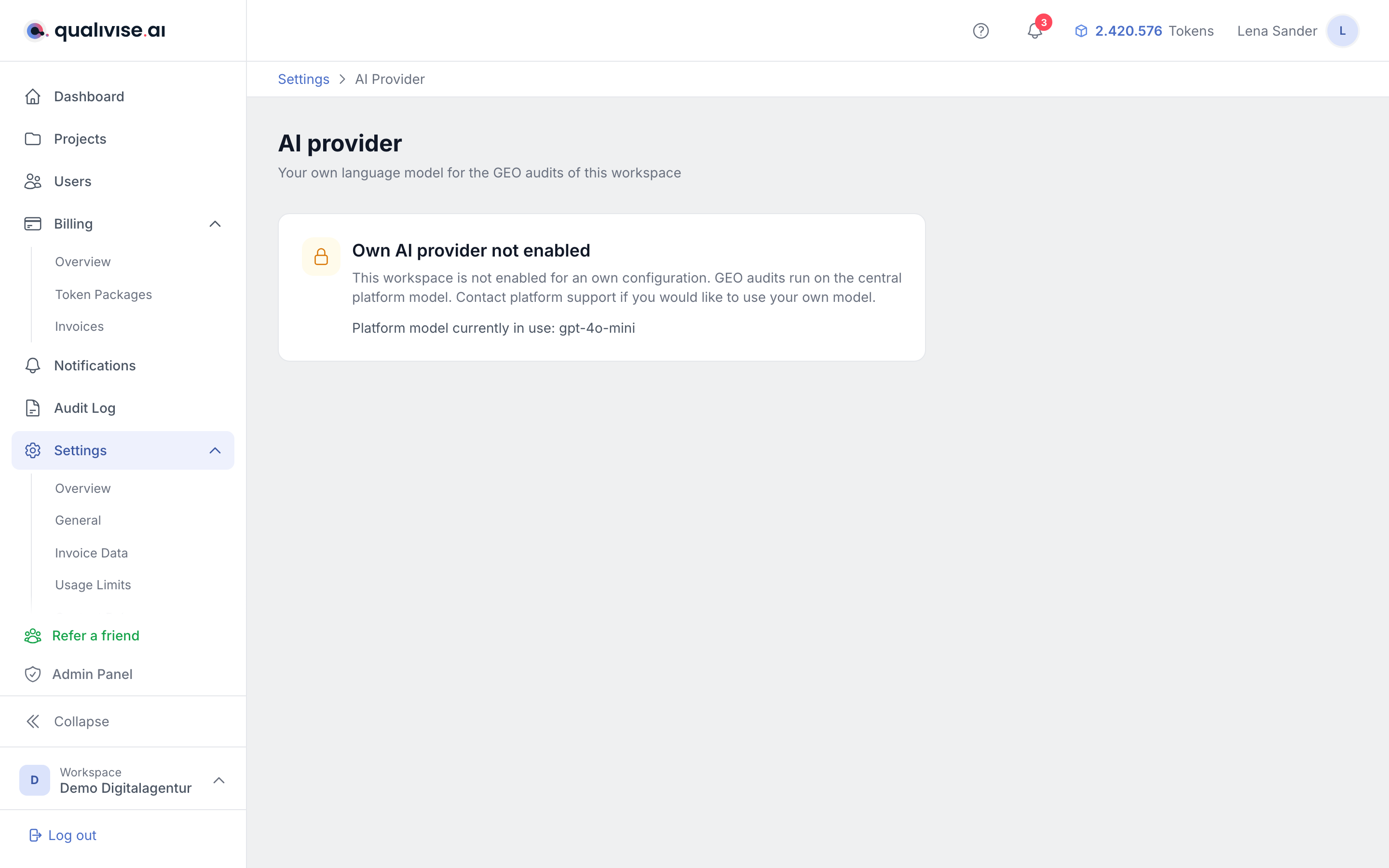
This page is only available once the platform has enabled it for your workspace. Without that permission you will not see the menu entry at all - only an information page naming the model the platform currently uses.
Contact the platform operator if you want to use your own access. That is also where the share charged to you in that case is set.
Setting up the connection
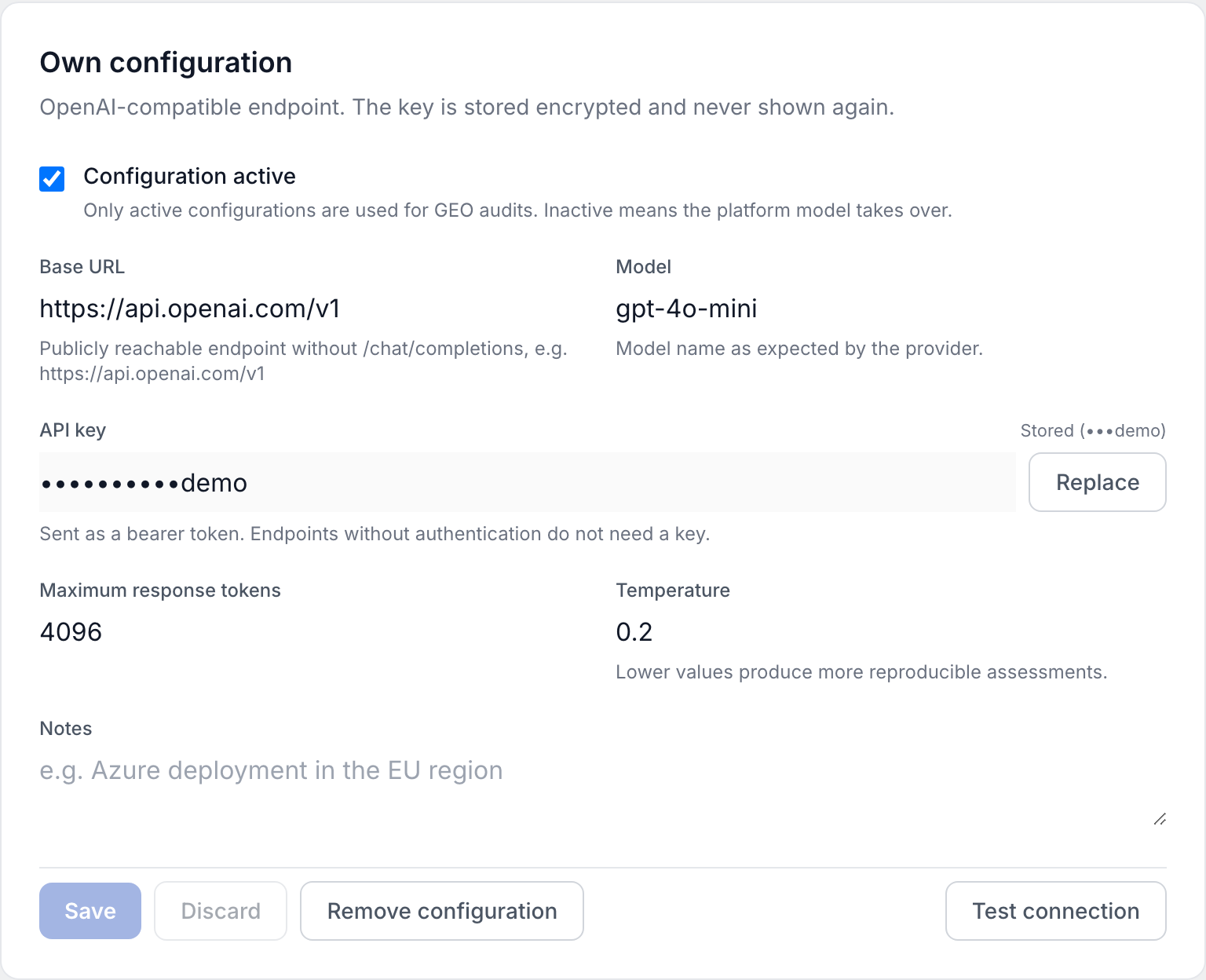
The platform talks to OpenAI-compatible endpoints. There is therefore no list of providers to pick from - you enter the connection details yourself. This covers OpenAI, Azure and self-hosted models alike.
| Field | Required | Notes |
|---|---|---|
| Active | - | Only an active configuration is actually used. |
| Base URL | yes | The address of the endpoint without the chat completions path. |
| Model | yes | The model name as stated by your provider, for example gpt-4o-mini. |
| API key | usually yes | Stored encrypted. |
| Maximum response tokens | no | Between 256 and 32768, default 4096. |
| Temperature | no | Between 0 and 2, default 0.2. Lower values produce more consistent results, which is what you want for audits. |
The model name is not validated against a list. A typo will only surface during the connection test or on the first audit, so test after every change.
About the API key
Once saved, the key is no longer readable. The page only shows dots and the last four characters so you can tell which key is stored. Keep it somewhere safe outside the platform.
Testing the connection
The test sends a short sample request to your endpoint and reports whether it is reachable and the authentication works. It waits up to 30 seconds.
It always checks the saved configuration, not what is currently in the form, so save first.
With some models that reason at length internally, the test reports success with a note that no text came back within the test limit. That is fine - the connection works.
For security reasons internal addresses are not permitted. The endpoint has to be reachable from the outside.
Effect on your tokens
While your own provider is active, you pay the model costs directly to your provider. The platform then only charges a share of the tokens that would otherwise apply to that part of the check; the default is 25 percent, and the operator can set a different value for you. If the share is set to zero, no tokens are charged for the model portion at all.
The other costs of a GEO audit are unaffected: the tokens per page checked and the one-off amount per domain still apply. The setting only covers the model portion.
If your access fails or you deactivate it, the platform model takes over again - and with it the full token calculation.
Limits
- The setting applies to GEO audits. The other scan types do not use a language model and are unaffected.
- You cannot choose a model per scan type or per project. The configuration applies to the entire workspace.
- There is no fallback model for outages.
- You cannot see the platform's own connection details - only the name of the model in use.