

Content assessment
The content assessment checks your website URLs for accidentally published test content, placeholder text and suspicious URL patterns. Unlike the spell check, content assessment uses configurable rules rather than artificial intelligence, which makes it especially fast and cost-efficient.
Note: For link quality checks (404, redirect chains, mixed content), use the separate Link Check.
When to use content assessment
- Detect test pages: pages with "lorem ipsum", "kitchensink" or "TODO" in title or content
- Find suspicious URLs: paths like
/test/,/dummy/,/staging/in the sitemap - Spot unreachable URLs: URLs from the sitemap that return an HTTP error (404, 500)
- Recurring checks: scheduled automatic scans to catch new test content early
Create a scan profile
- Open your project and go to Project settings > Scan profiles to reach the profile management page
- Click New profile there (the same button is also available on the project's Overview tab)
- Choose content assessment as the scan type
- Enter a name and select the URLs to check in the sitemap tree
- Optional: define a schedule for automatic scans
- Save the profile and start the first scan
Note: the content assessment tab in the project view has no button for creating a profile. It shows the key metrics for the scan type plus the sub-tabs Scan history and Current state. As long as no profile exists for the scan type, the Create scan profile link there takes you straight to the profile editor.
Rules
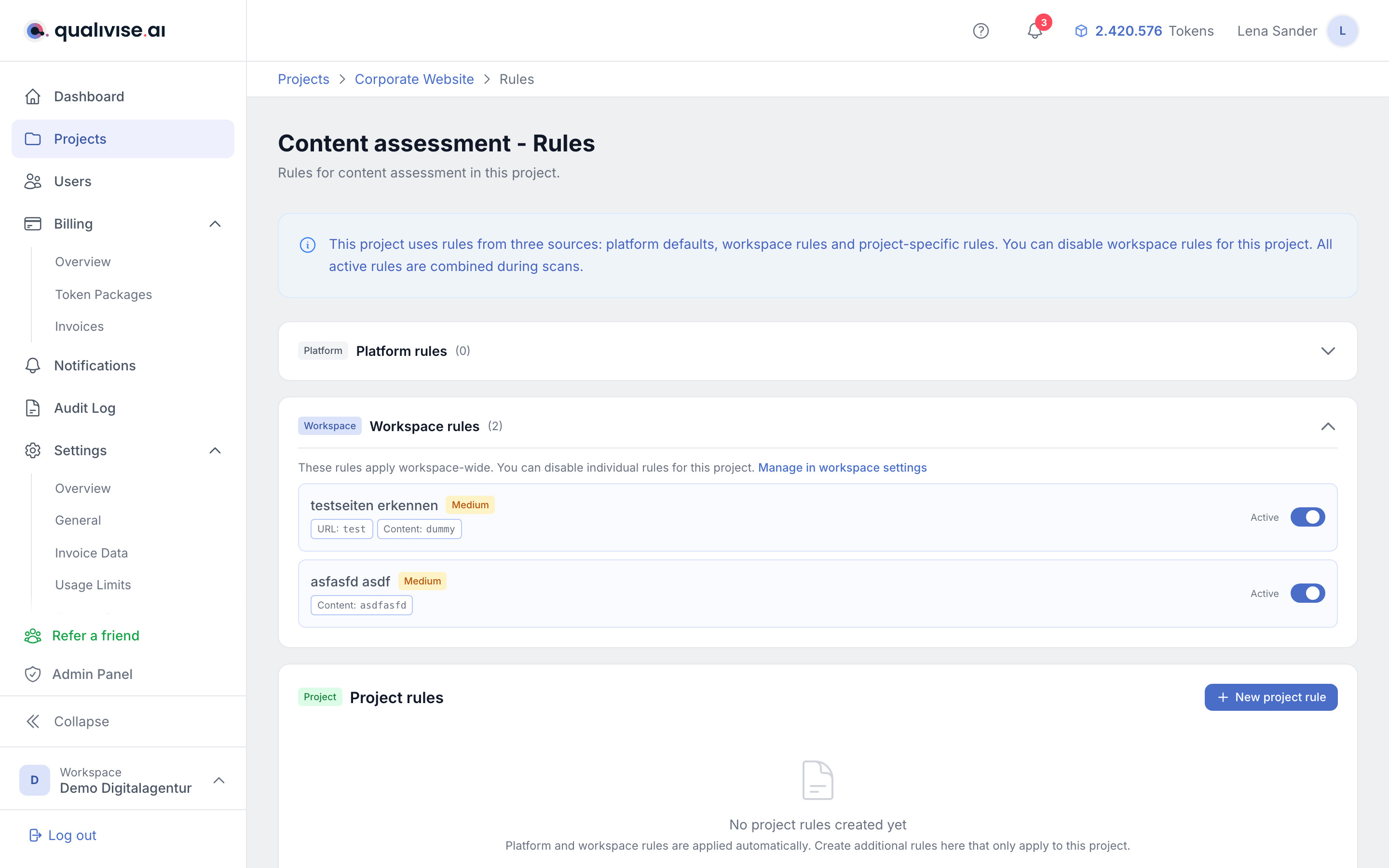
Rules define what the content assessment looks for. There are three levels:
Standard rules (system)
Rules predefined by the platform that automatically apply to all projects. Examples:
- "Detect lorem ipsum" - searches for placeholder text
- "Test-page keywords" - detects terms like "test", "dummy", "staging" in URLs and titles
If a platform rule does not suit your content, workspace admins can disable it individually for the entire workspace under Settings > Content rules, see Settings.
Workspace rules
Rules your workspace administrator has created for all projects in the workspace.
Project rules
Rules you can create specifically for a single project, e.g. for project-specific terms.
Understand scan results
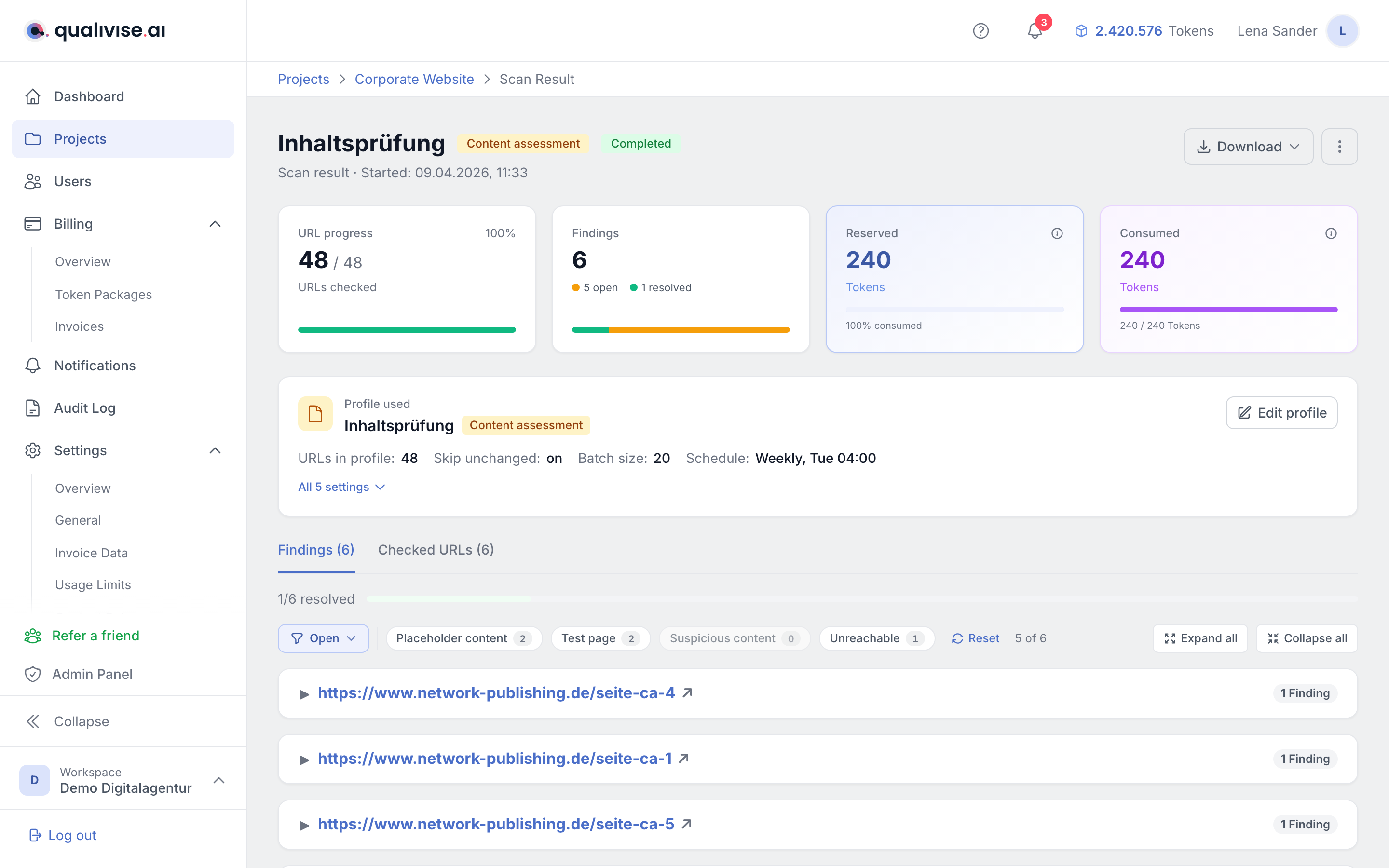
After a scan you'll find the results in the scan detail view. Findings are grouped by category:
Suspicious URL
The URL itself contains a suspicious term (e.g. example.com/test-page/kitchensink). Check whether the page should actually be published.
Test page
The page title contains a test term or the page has no visible content. Often a sign of an unfinished page.
Placeholder content
Typical placeholder text was found in the page content (e.g. "Lorem ipsum dolor sit amet"). The affected passage is shown with context.
Suspicious content
Other suspicious text in the page content, based on your configured rules.
URL unreachable
The URL returned an HTTP error (e.g. 404 Not Found, 500 Server Error). For permanent errors (4xx) we recommend running a sitemap rescan to refresh the URL list. These findings are automatically marked as "done".
Locating the passage in the text
For findings in the page content, the card shows the matched text with some context before and after. The "Show on page" link opens the checked URL and jumps straight to the highlighted passage, see Scans & results.
To make this reliable, the match is expanded to whole words on the server. A pattern that only matches a word stem (e.g. mitarbeiter in "50 Mitarbeitern") therefore still produces a passage you can jump to.
Label instead of search pattern
Rules using a regular expression can carry a label per search pattern. It appears as the hint text on the finding instead of the technical pattern. Without a label the rule name is used.
Token cost
The content assessment consumes 5 tokens per checked URL. With 100 URLs in the profile, about 500 tokens are needed per scan. The cost is shown before the scan and tokens are reserved up front.
Tips
- Scan regularly: set up a schedule (e.g. weekly) to detect new test content early
- Keep the sitemap up to date: content assessment is based on the URLs in your sitemap. On changes, start a sitemap rescan
- Add your own rules: add project-specific terms typical for test content in your CMS
- Combine results: use content assessment and spell check together for comprehensive quality assurance