

Invoice address
Here you maintain the billing data of your workspace. These details appear on issued invoices and determine who the invoice is addressed to. Besides company name and address you can store a VAT identification number, one or more email addresses for the automatic delivery of the PDF invoices, and under "Additional information" a contact person and an order number.
Invoice recipient and company data
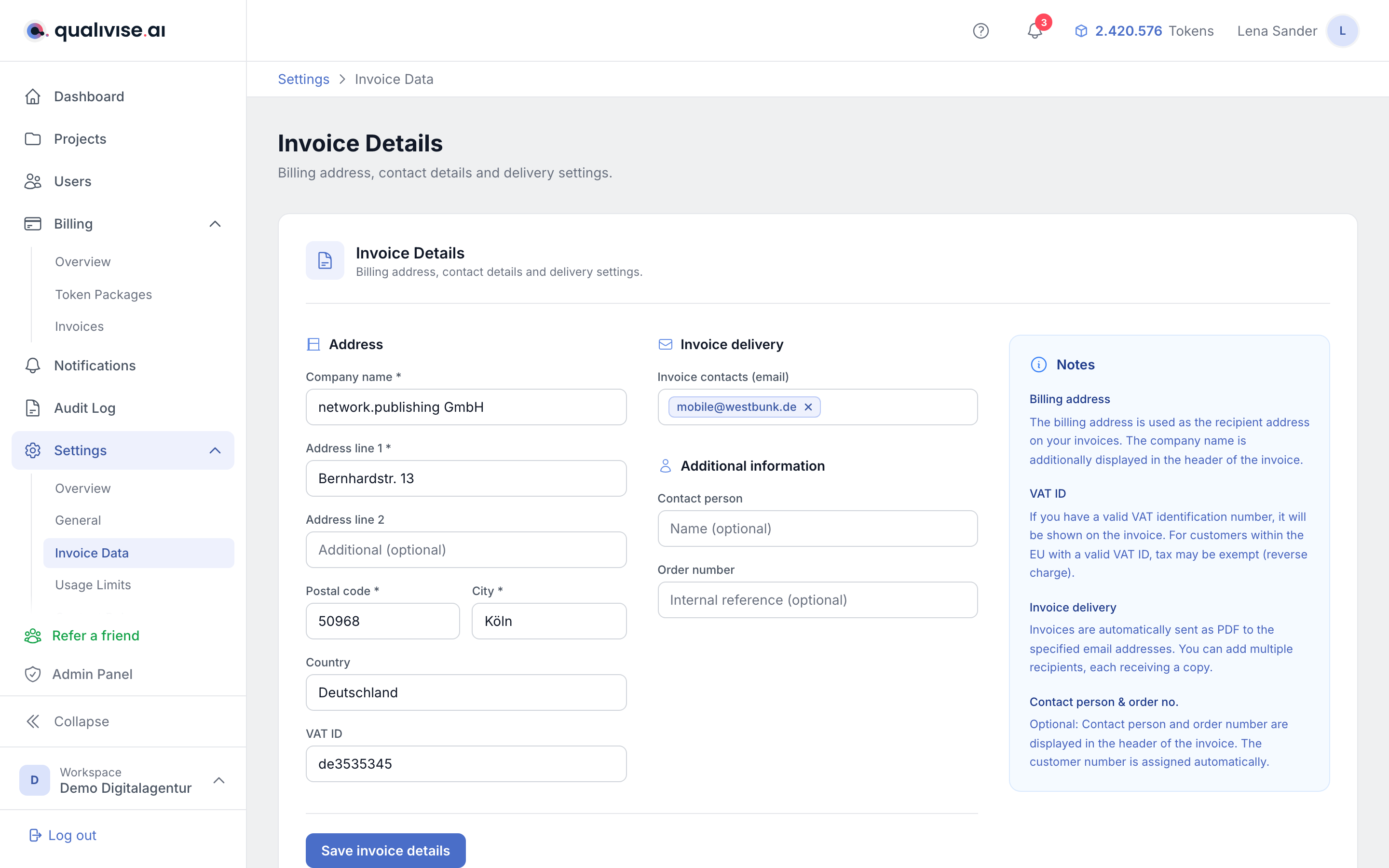
- Company name - the name your workspace uses as the invoiced entity.
- Full address - street, postal code, city and country form the basis for correct invoices.
- Consistency - align the data with your internal guidelines and, if applicable, your tax advisor.
VAT ID on the invoice
- VAT ID - shown on the invoice if stored and relevant for your country.
- Validation - enter the ID in the expected format; typos make attribution harder.
- B2B context - for cross-border or tax-relevant cases a correct ID is important.
Email recipients for PDF invoices
- Automatic delivery - after an invoice is generated, PDFs can be sent to the stored addresses.
- Multiple addresses - you can include accounting, management or external service providers in parallel.
- Up to date - remove outdated addresses so sensitive documents don't go nowhere.
Contact person and order number
- Contact person - optional name of the person responsible for accounting in this workspace. The entry appears in the header of the invoice.
- Order number - optional order or reference number from your own process. It is also shown in the header of the invoice and makes attribution in your accounting easier.
- Customer number - qualivise.ai assigns this automatically; there is nothing for you to enter.
Save and review before the next purchase
- Save - apply changes explicitly with Save invoice details so they apply to the next invoice.
- Required fields - company name, address line 1, postal code and city are mandatory; without them the form cannot be saved.
- Reconciliation - compare the data with your company register extract or internal master data.
Relationship with billing and PDFs
- One workspace - billing address and token purchases belong to the same workspace context.
- PDF content - recipient lines and tax notes are derived from the fields maintained here.
- Traceability - in support cases consistent data on the document and in the UI helps.
Notes
- Changes apply to future invoices; previously issued documents don't change retroactively.
- Country and postal code should match your actual legal and service position.
- For recurring invoices a brief reconciliation with your accounting after the first issuance is worth it.
- Clearly separate delivery address (if maintained elsewhere) from this invoice address if your process requires it.